Listing photos and property video, your way
Prepare a listing to review and improve its photos, or create a video directly from your own photos without preparing a report. Choose your exact shots, their order, and landscape or vertical format. Watch and approve the video before sharing it.
Every account includes 1,000 credits a month, no card required.
Real listing photos, edited
These are Listino touch-ups on real listing photos. Each edit works on the space that was already in front of the camera — the light, the lawn, the clutter — and the photo it came from stays right beside it.
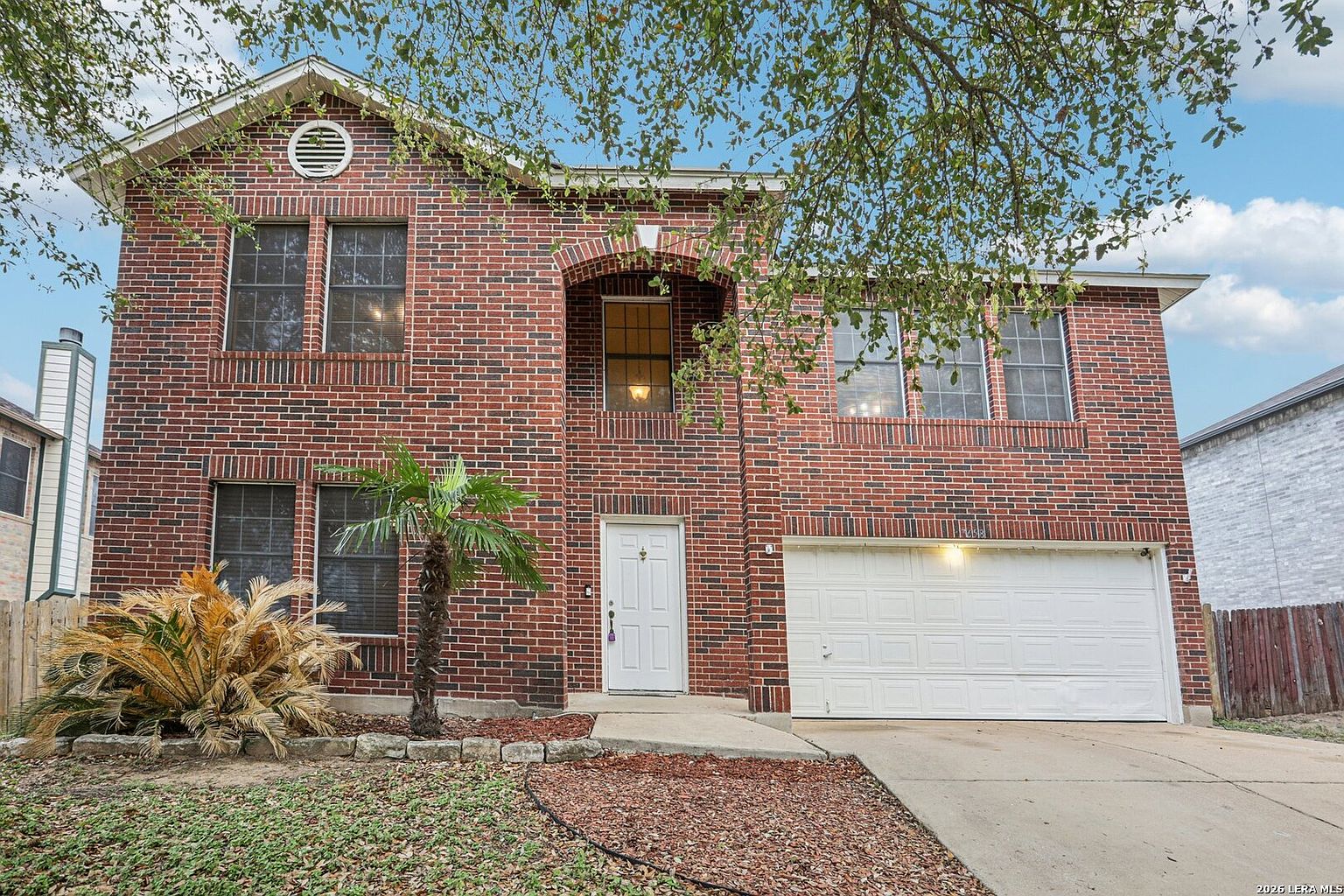 Before
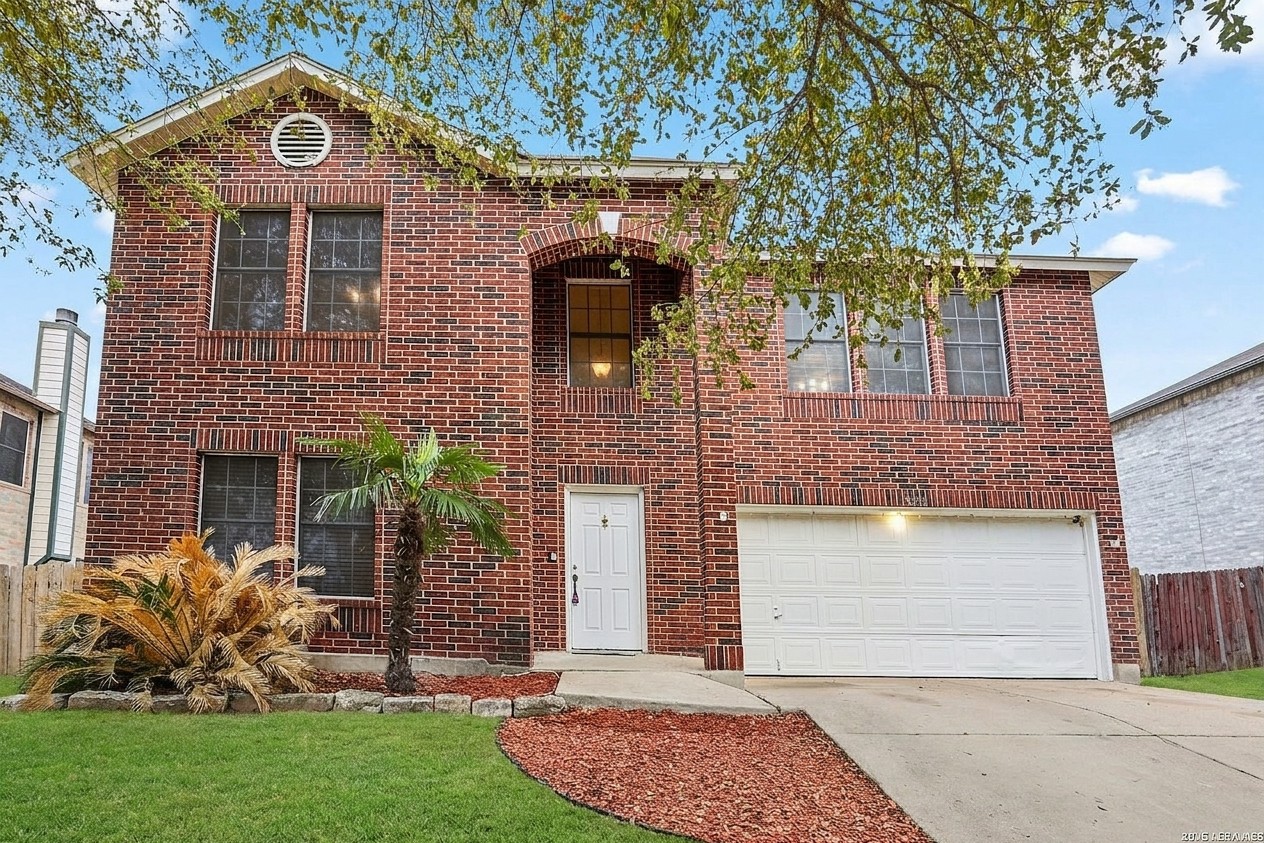 After
After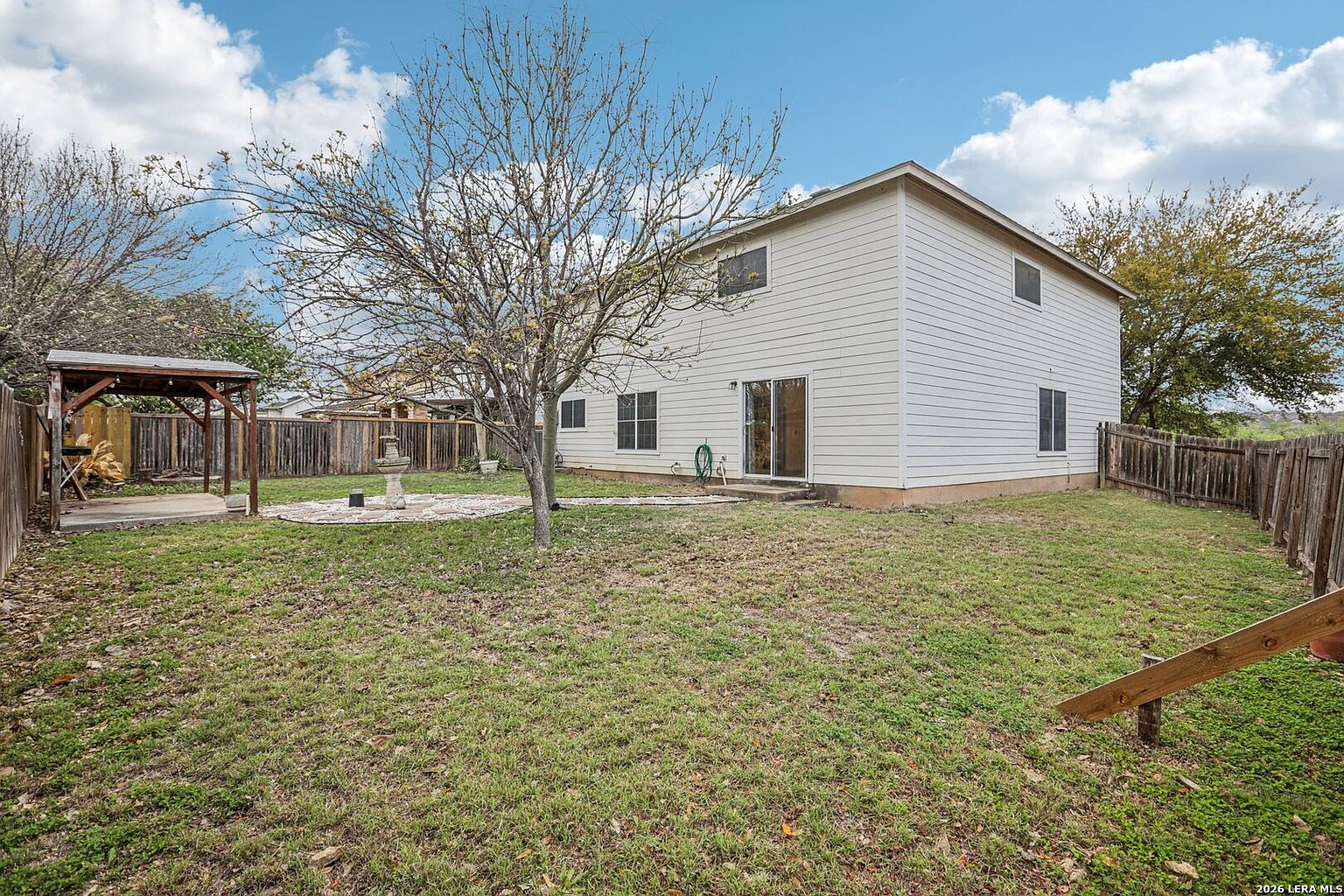 Before
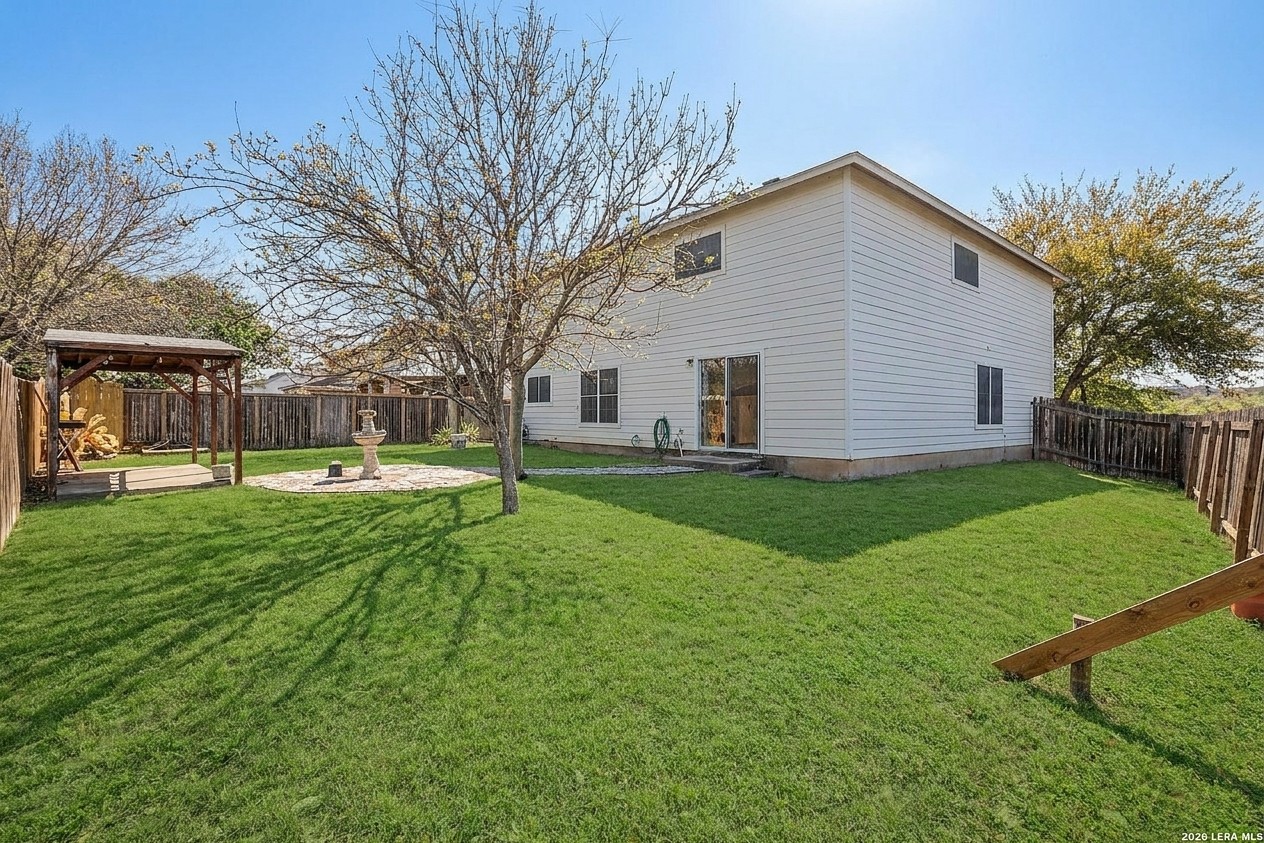 After
AfterWhat the photo review names
Preparing a listing includes a pass over every photo on it. The review reads each shot and says which ones could look better and what would help — in these terms:
Declutter
Clear movable clutter that pulls a buyer's eye away from the room.
Floor marks
Even out scuffs and marks the camera exaggerated on a floor.
Yard debris
Tidy the hoses, bins, and leaves sitting in front of the house.
Green up the grass
Bring a patchy or dormant lawn back to how the yard looks in season.
Brighten to sunny
Lift a flat, overcast exterior toward the light the house gets on a clear day, including the sky.
Brighten the room
Open up an interior shot that came out dark or muddy.
Tidy the landscaping
Neaten overgrown beds and edges around the entry.
How a photo touch-up happens
Prepare the listing
Start from a Zillow URL or enter the property yourself. The Listing Analysis reads the whole listing — pricing, description, and photos together.
Read what the photo review found
The review goes through every photo and names the ones that could look better, and what would help each. It is a list of suggestions, and it stops there.
Check the photos you want changed
You pick them yourself. Nothing is edited until you do, and the price — 15 credits a photo — is shown before you start. Edits are usually ready within 15 minutes.
Compare them against the originals
Each edited photo comes back beside the photo it came from, so you can look at both and keep whichever you prefer. The original is never overwritten.
A property video built from the listing's photos
Once a listing is prepared, its photos can be assembled into a short property video. There is nothing to film and nothing to upload again — and nothing gets out before you have watched it.
Choose your photos and motion
Upload photos, use an existing listing, or optionally import from Zillow. No report is required. Select up to six ordered photos: AI motion where suitable (the default) gives each photo that passes our safety check AI camera motion and the rest a gentle zoom, decided before generation; Photo motion only uses gentle zooms of the originals, with no AI. The whole-video price is 800 credits. Videos are silent: no music, no voiceover, no captions. Choose landscape or vertical format.
Watch the whole thing
Watch the complete video and check its photos, order, framing, and every property detail. AI-motion checks can flag uncertainties; they never replace your review. Photo motion preserves the full view with borders where needed and a gentle zoom.
Approve it, or ask again
Nothing can be published or shared before you approve it. If the first cut isn't right, the first redo on a listing is free.
An illustration of the review step — the Approve button stays off until you confirm you watched the clip.
How this differs from a standalone photo or video app
Plenty of apps will edit a real estate photo or turn a folder of pictures into a reel. The difference here is not the edit — it is that the editing is part of preparing the listing, so the work of deciding what to change is already done.
The shortlist is made before you open it
A separate app waits for you to upload a photo and choose an effect. Listino has already read the listing and named which photos are weak and what would help each one, so you are choosing from a shortlist instead of building one.
One photo review, two answers
The same photo review that recommends which shot should lead the listing and what order the rest should run in also names what to fix in each shot. You are not describing the property twice to two different apps.
The photos are already here
Photos arrive with the listing when you import it. Nothing to export, re-upload, rename, or download back into place.
One balance covers both
Touch-ups and video are priced in the same credits as everything else Listino prepares, on the plan you already have — not a subscription for photos and a second one for video.
Nothing goes out without you
Touch-ups happen photo by photo, only for the ones you check. A video waits on your approval. Listino publishes neither on its own.
What it costs
Listino is priced in credits, and photos and video come out of the same balance as everything else it prepares.
- A photo touch-up is 15 credits, charged per photo you pick
- A property video is 800 credits
- The first redo of a photo is free, and so is the first redo of a video on a listing
- If something fails to prepare, the credits come back automatically
- Every account starts with 1,000 credits a month, no card required
The full menu, the plans, and the credit packs are on the pricing page.
What these edits are, and what they are not
A touch-up improves how a real space already looks: light, a lawn, movable clutter. It does not add furniture that isn't in the room, change the property, or make a permanent condition disappear. A property video is a visual preview assembled from the listing's photos, not a recording of a walk through the house, and Listino does not certify a photo or a clip as approved for any MLS or portal. Disclosure rules for edited listing photos vary by MLS and by state and have been tightening — check yours with your broker before you publish.
Questions agents ask
How much does a real estate photo touch-up cost?
15 credits a photo, charged only for the photos you pick. Every account includes 1,000 credits a month at no charge, the first redo of a photo is free, and if an edit fails the credits come back automatically.
Does Listino edit my listing photos automatically?
No. The photo review names the photos that could look better and what would help each one, and then stops. You check the ones to send, and each edited photo comes back beside the original so you can compare them.
What can a photo touch-up change?
Improvements to the real space: declutter, floor marks, yard debris, green up the grass, brighten to sunny, brighten the room, tidy the landscaping. It does not add furniture that isn't in the room, and it is not a way to hide a permanent condition.
Can I make a property video from listing photos?
Yes. Upload your own photos without preparing a report, or use photos from an existing listing. Choose up to six ordered shots, AI motion where suitable or photo motion only, and landscape or vertical format. The whole-video price is 800 credits. The video is silent and waits for your review before sharing.
Do I have to disclose AI-edited listing photos?
It depends on the edit and on where you list. Ordinary corrections are generally treated like traditional editing, while anything that could change how a buyer reads the property's condition should be labeled. Rules vary by MLS and by state and are tightening — confirm the wording with your broker.
Do photos and video need their own subscription?
No. Both use your existing Listino credit balance. Photo touch-ups are available after the listing photo review; videos can start directly from uploaded photos without preparing a report.
Start with a listing or your photos
Prepare a listing for its analysis and photo review, or create a video directly from your own photos. Choose the workflow you need.
Prepare a listingCreate a video from photosEvery account includes 1,000 credits a month, no card required.